3.3 Collection Configuration
The overview page displays all configured devices. Each block represents a device. The entered device is not online. The specific collection device will collect all enabled devices in order until the authorization is exhausted
The list page shows all your devices. The ID is the unique ID of the device within IoTBoX, and this ID will be used in the API interface You can add, delete, modify and query devices After adding or modifying devices, you need to restart the service to take effect
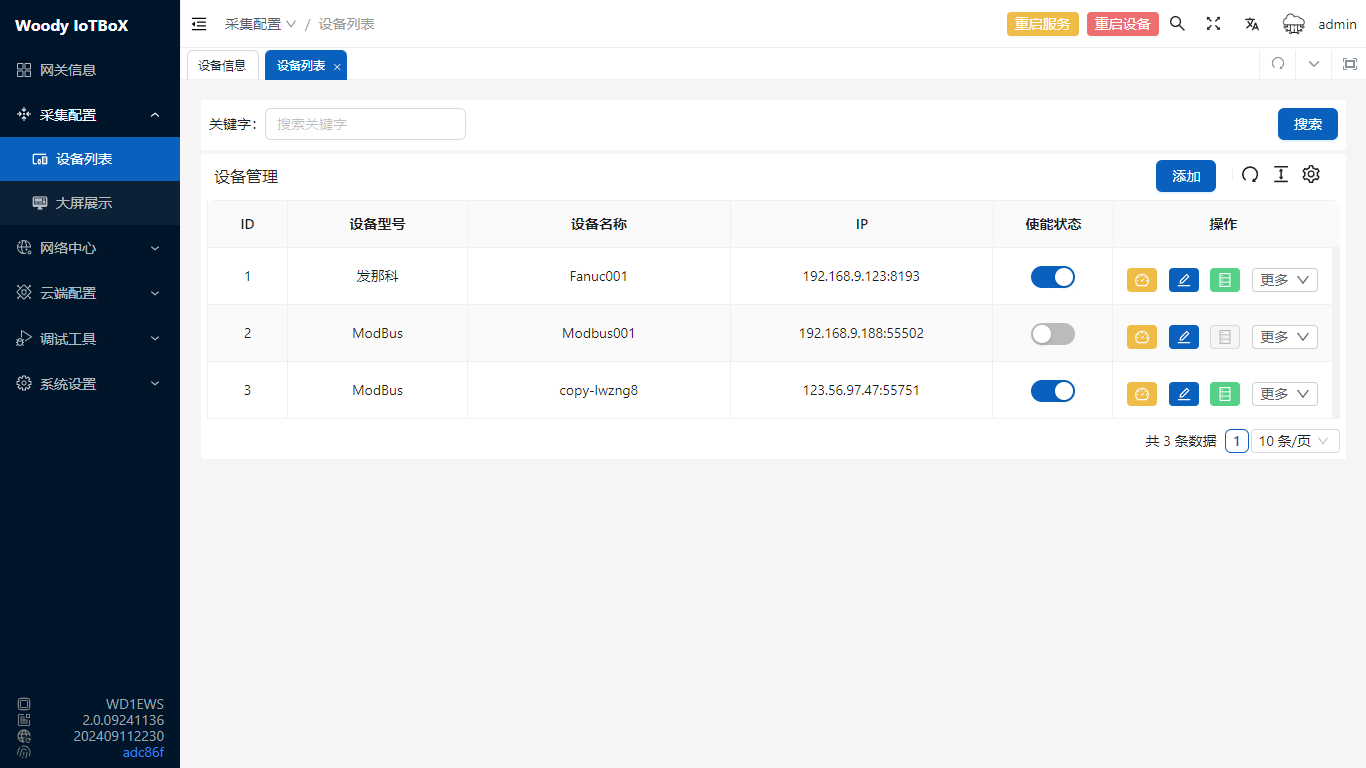
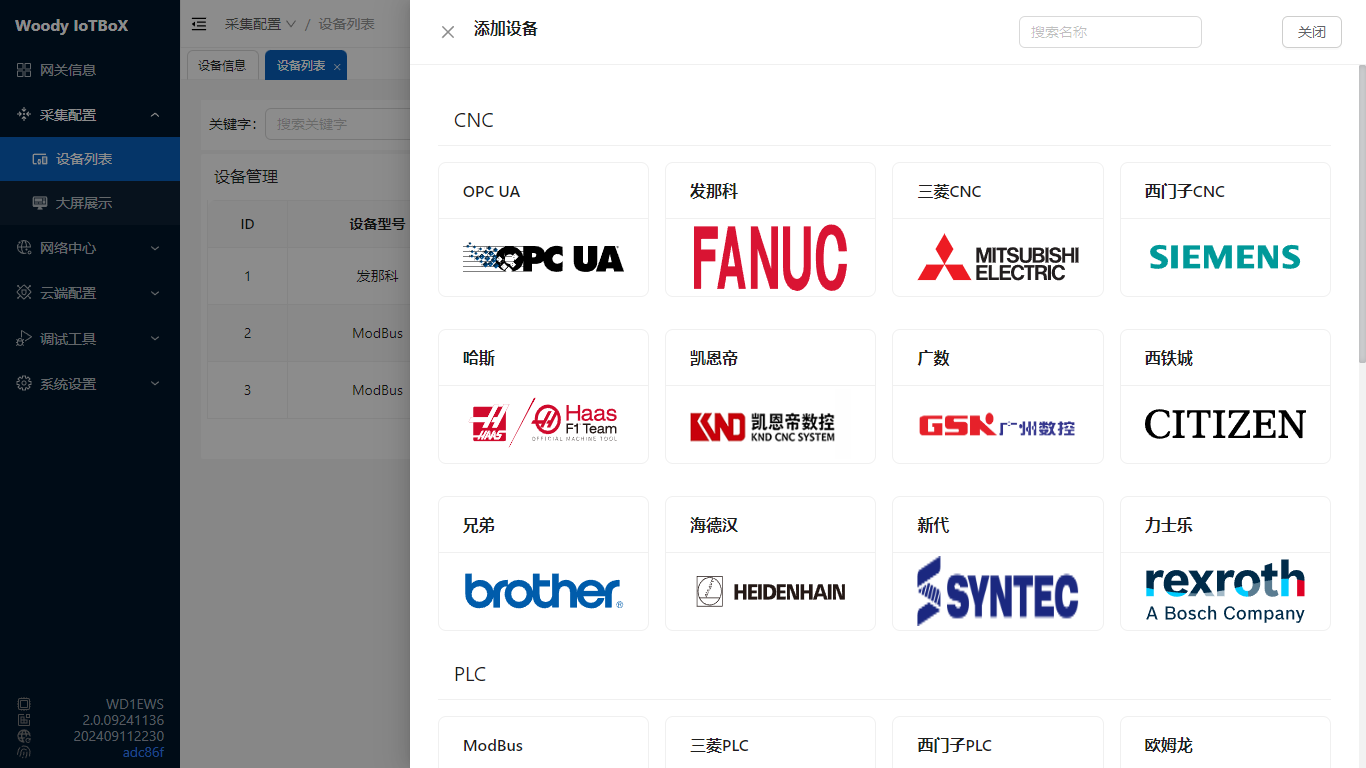
- Click Add, select device type, and you can see different protocols in the page dropdown
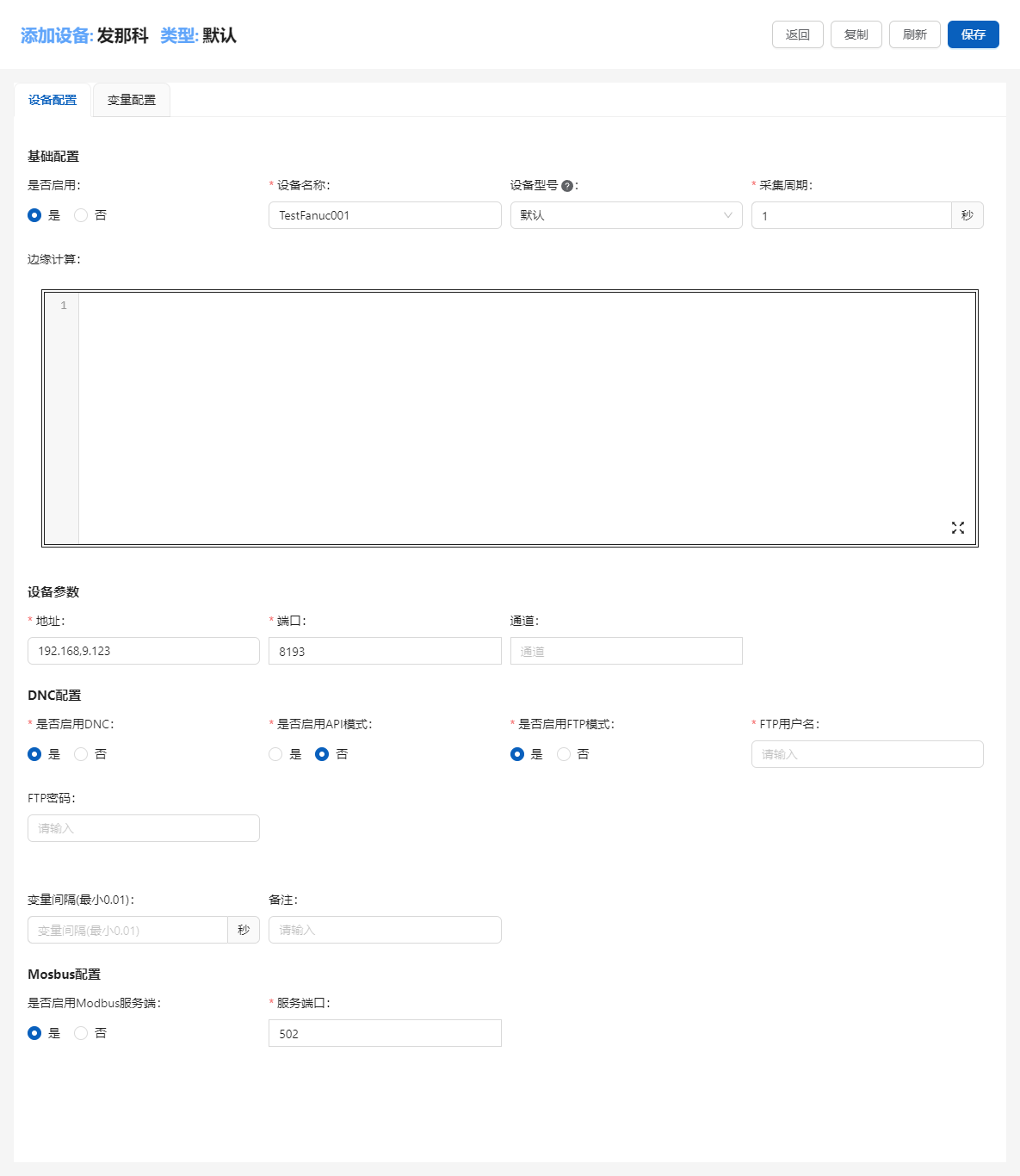
- Fill in device information, including name, IP address/serial port and other connection information and edge computing4, you can also enable Modbus server to output collected data through Modbus
- Switch to the variable configuration tab, add device variables. Variables can select built-in variables or manually add addresses
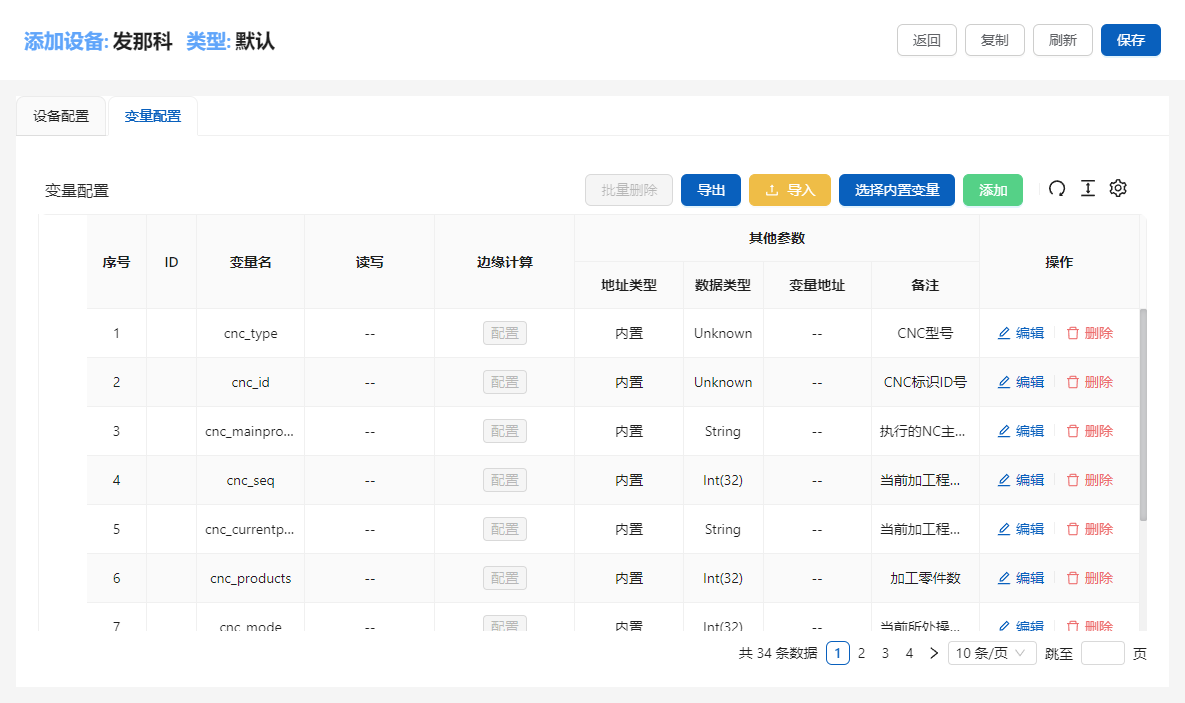
After successful addition, variables can be modified. Variables can set edge computing, modbus address, etc.
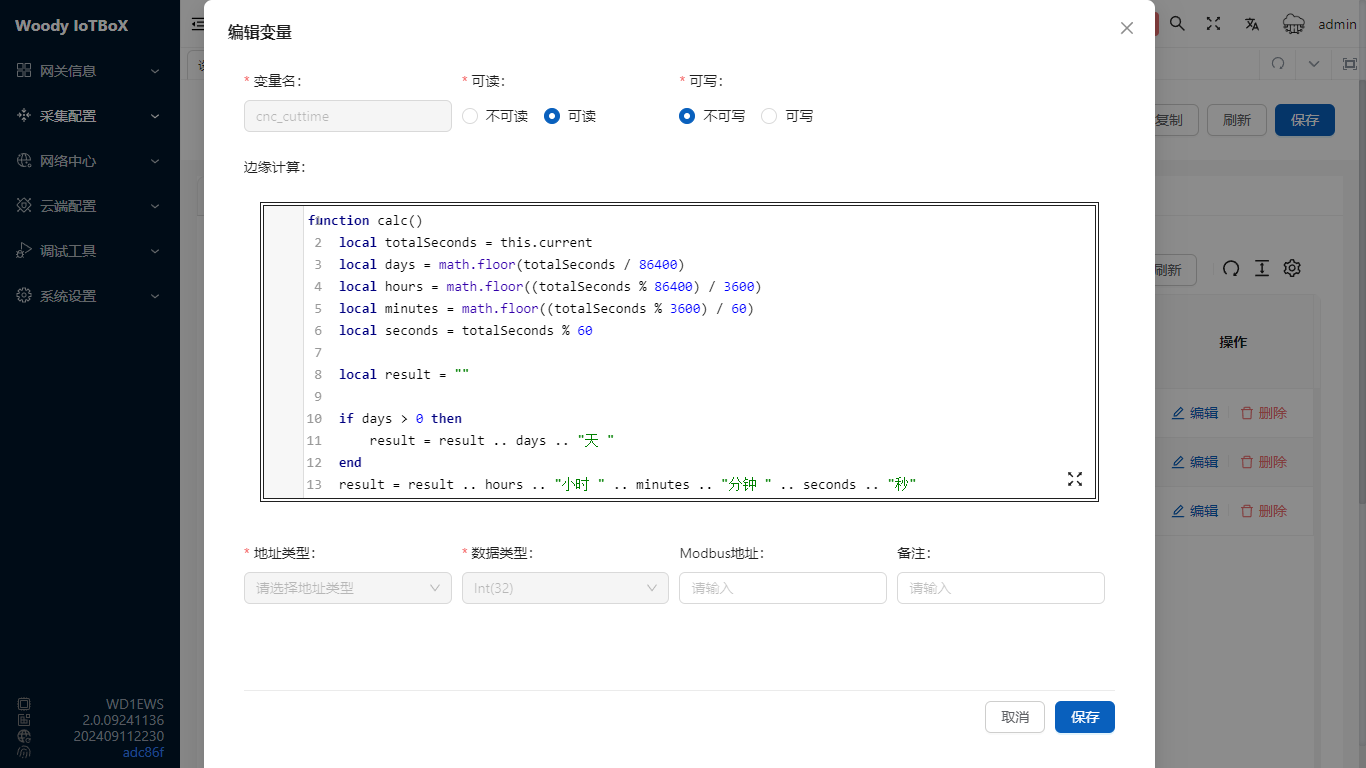
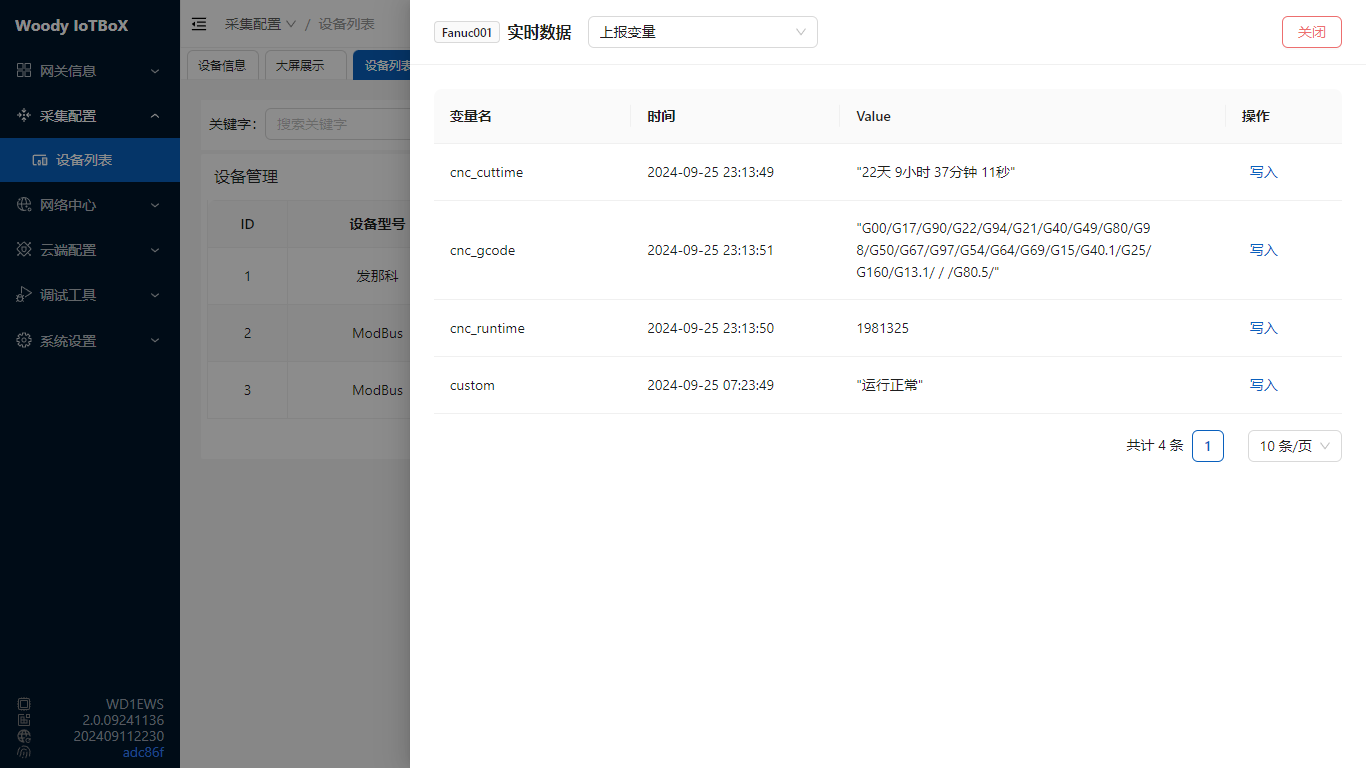
After successful collection configuration, click Data to see the collected data. You can specify to display the final result or data before edge computing through options. Variables that support writing can also write data
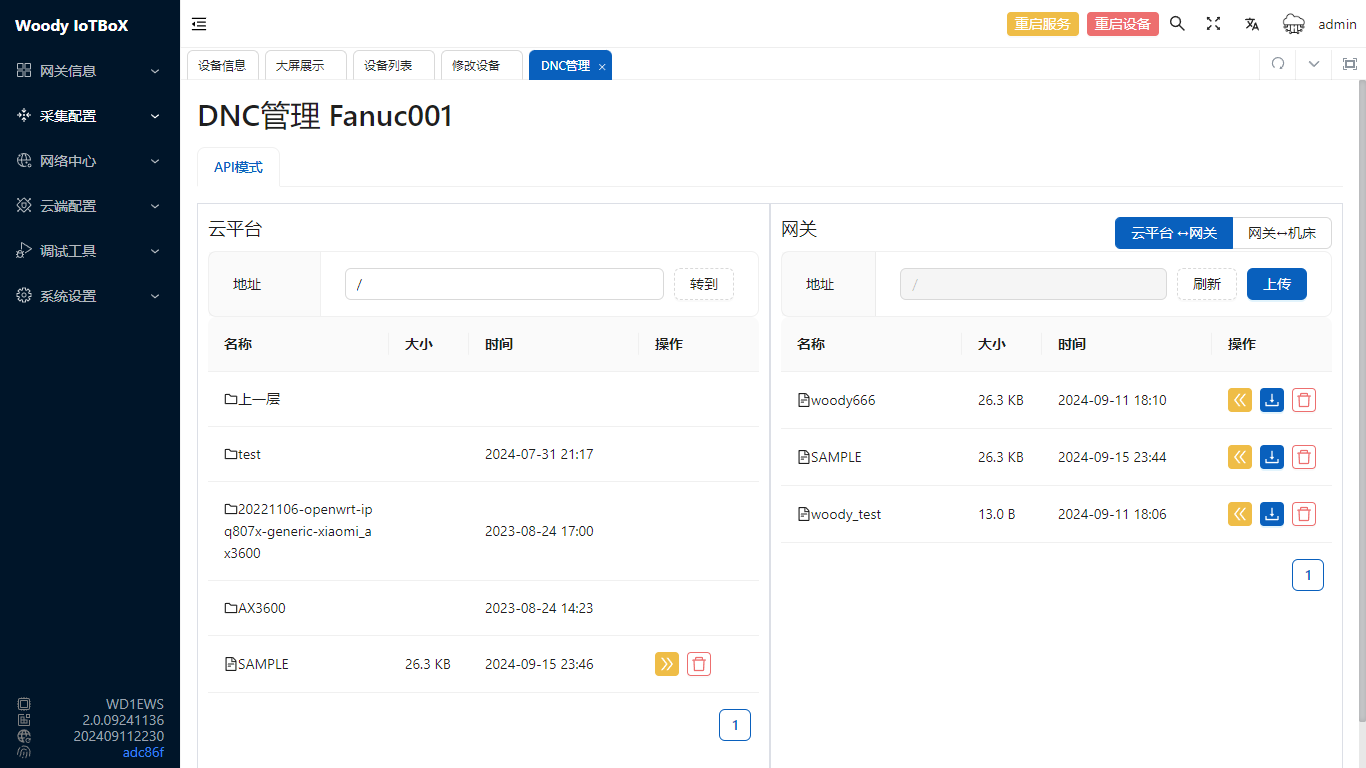
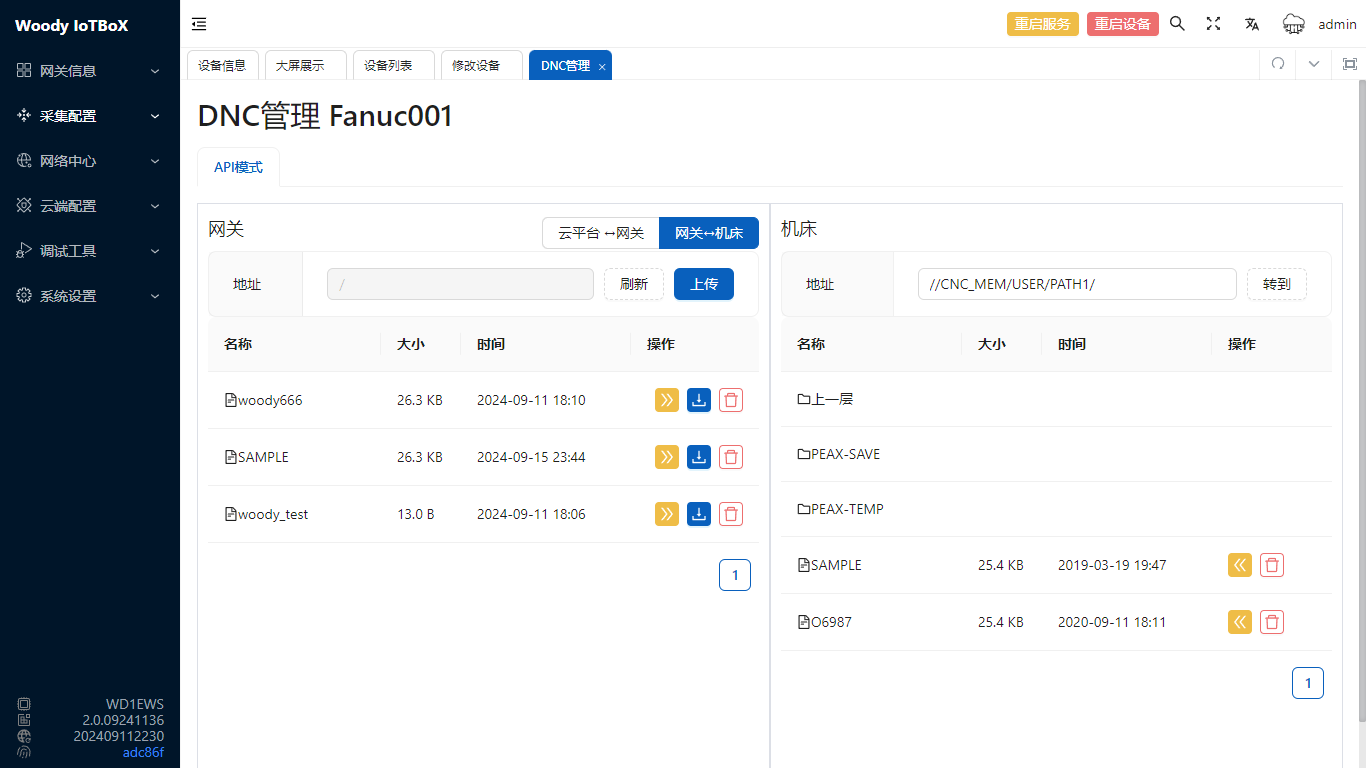
IoTBoX supports DNC5 function, you can browse programs and upload/download programs through the DNC button
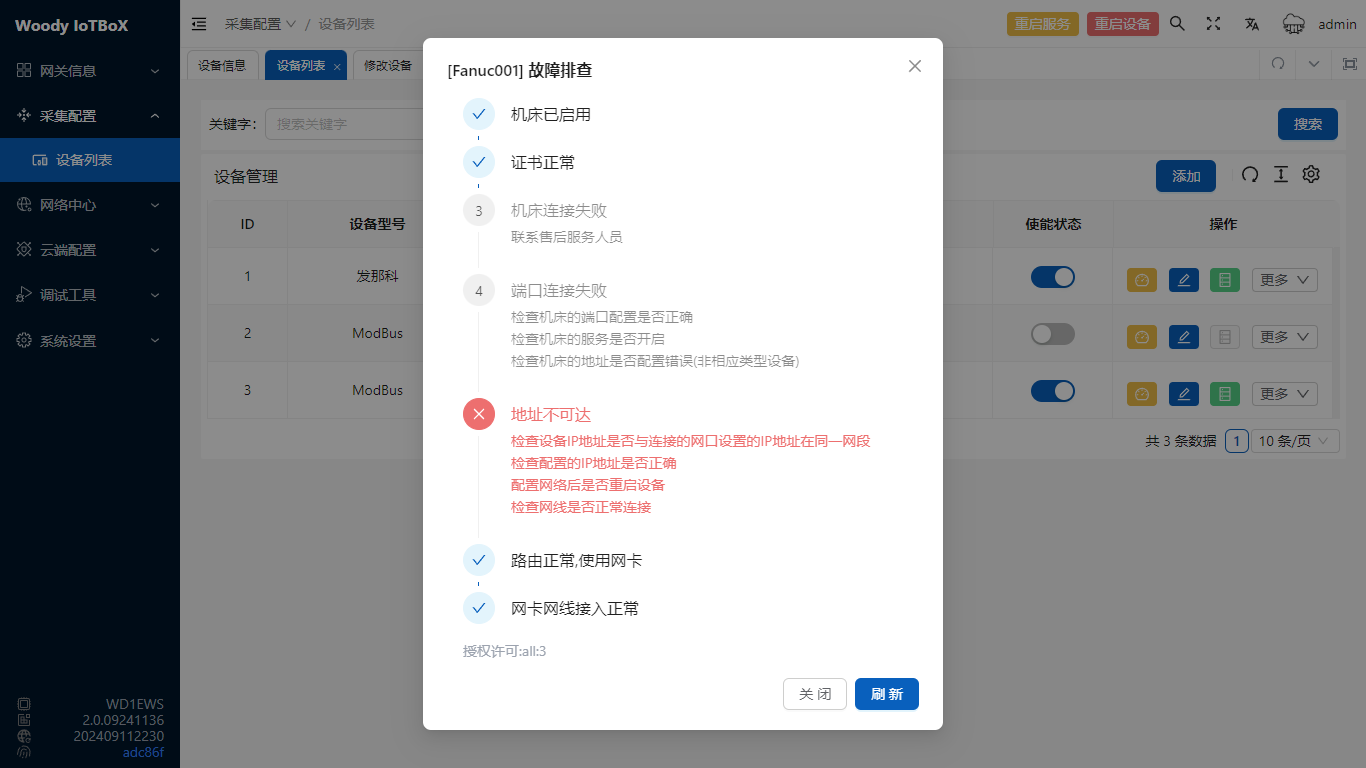
If IoTBoX cannot collect data, click Troubleshoot, it will return the error reason, Serial port devices are not currently supported
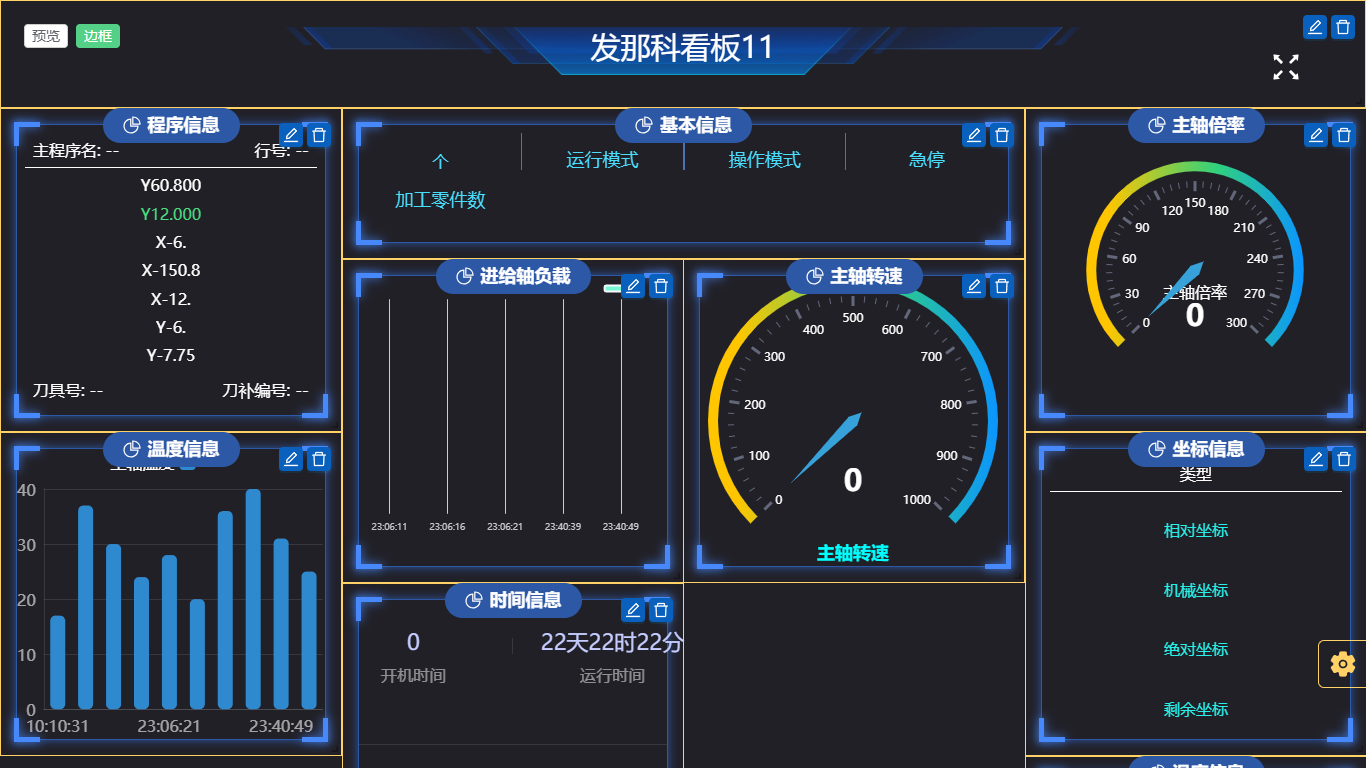
Devices also support custom dashboard6 display
For specific usage of edge computing, refer to Edge Computing↩︎
For specific usage of DNC, refer to DNC Manual↩︎
For specific usage of dashboard, refer to Custom Dashboard Manual↩︎